Whether you’ve accidentally joined a public league, your mini league has gone inactive, or you simply need to streamline your Fantasy Premier League commitments, leaving a league is a straightforward process.
It is important to note that you can only leave custom invitational leagues (Classic or Head to Head).
You cannot leave the global leagues you are automatically entered into (Overall, Country, or Club Supporter leagues).
Here is a step by step guide on how to remove yourself from an FPL mini league using both the website and the official mobile app.
For the most reliable experience, especially if you encounter any issues on the app, use the official Fantasy Premier League website.
After logging into your FPL account, locate the main navigation menu and click on Leagues & Cups.
On the Leagues page, you will see a list of all the leagues you are currently a member of.
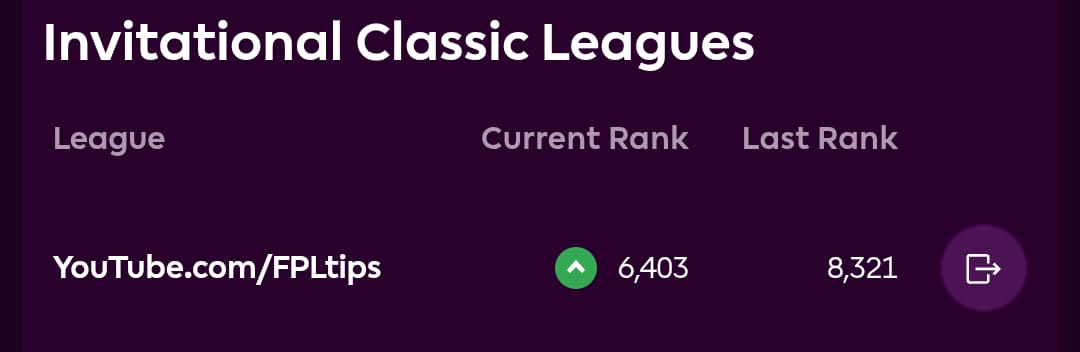
Find the name of the Classic or Head to Head league you wish to leave. Click on the logo leave logo which is right next to Last rank. Once confirmed, you will be instantly removed from that mini league.

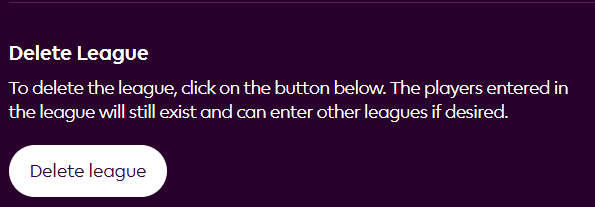
If you own a league you can delete the league by. Clicking on the gear icon (⚙️) or Settings button located to the right of the league’s name.
You will be taken to the league’s admin or settings page. Look for a button at the bottom which says delete league.
The process is very similar on the official FPL mobile application.
Open the FPL app and log in. In the bottom navigation bar, tap on the Leagues icon. Your leagues will be displayed.
Alongside Join leagues there will be an option called Configure leagues, click on that and it is the same process, click on the leave button and then confirm your choice. You should receive a confirmation that you have successfully left the mini league.

Important Considerations to remember –
You Cannot Leave Global Leagues such as the Overall, Country, and Club Supporter leagues as they are automatic and permanent for the entire season.
You will remain in these until the season ends.
If you created the league (i.e., you are the Admin), in some cases, you may not be able to leave the league without deleting it entirely, especially if it’s an invitational Classic League that you may have the option to renew.
In some instances, particularly after a Gameweek deadline, it may take a point update for your exit to fully process and for the league list to refresh.
If you click Leave League and nothing seems to happen immediately, try refreshing the page or checking back after the next Gameweek update.
Successfully leaving a league means one less distraction, allowing you to focus purely on climbing the ranks in the leagues that matter most to you.