In the world of FC 26 Ultimate Team, coins are the lifeblood of your club. They allow you to buy players, complete valuable Squad Building Challenges (SBCs) and upgrade your squad to compete at the highest level. While trading on the Transfer Market and competing in Division Rivals and Weekend League are popular methods, a consistent and reliable way to build your coin balance is by completing objectives. This is currently our only option as the game has not launched yet fully for most people.
This article will break down the different types of objectives in FC 26 and how to effectively complete them to maximize your coin earnings.
The Web app launched yesterday and there are various strategies at play to grind out coins. You can access the web app even if you have not bought the game as long as you have played FC 25. To claim objectives on the web app you will need to use paletools.
How to activate Paletools in Web App
1)Install Paletools 26.0.5 version
2)Login on the Webapp
3)Click on the Paletools bookmark to activate it
4)Claim the objective
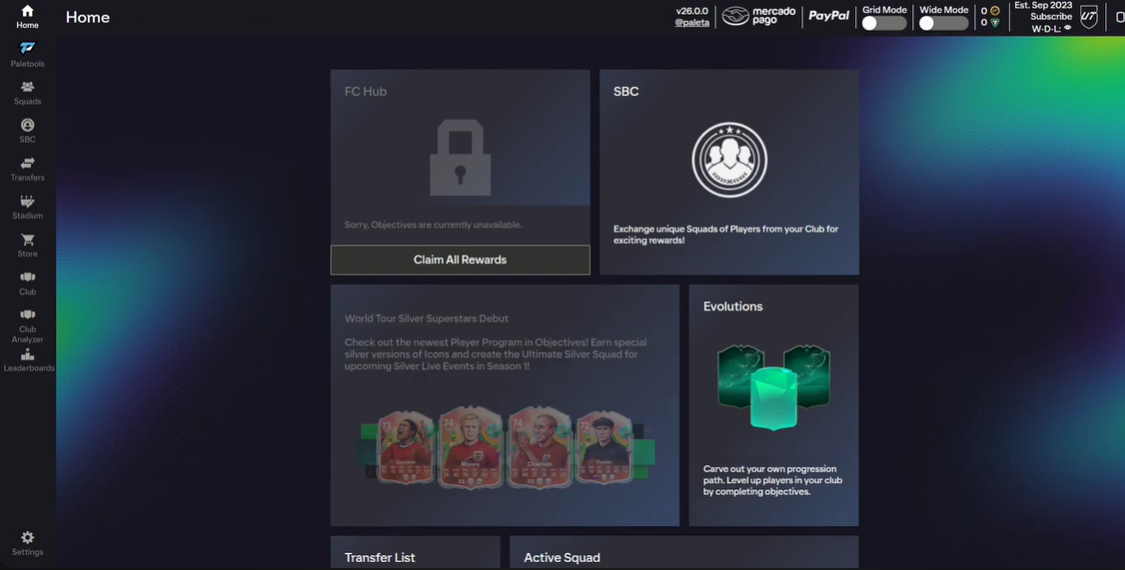
Paletools should come on the left hand side as shown in the picture, after adding it refresh the page and it should appear on your web app.
Why are people attempting the grind? Well some have opened their Preview packs and got great players already. Preview packs also need to be bought within 24 hours or you will lose your players.
Keep in mind this is a big grind and if the payout is valuable to you, then only you should proceed with these objectives.
You will have to buy Bronze/Silver players that cost around 200 coins, then you must sell them. You need to repeat this process over 100 times yes that is right 100 times. For completing this you will get 7500 coins, however due to the infamous ‘EA Tax’ you lose 10 coins per sale which adds upto 1k, bringing your total to 6.5K.
Here is a small tip you can use as shown here. Before selling if it is possible for you to put chem styles on players, they can increase the value of your player sold. For example in this situation if you bought Werner for 800 coins and added a chem style, you could have sold him for 1500 coins, almost doubling his profit.
You can use these methods to gain coins using the Web App and gain an edge before the game is even playable. However for some that is an issue due to the sign in bug.
Login Issues with the Web App
With EA Sports FC 26’s recent launch, many players are encountering frustrating sign up and login issues when trying to access the game’s Web App and Ultimate Team features. If you’re struggling to get into your account or create a new one, this comprehensive guide will walk you through proven solutions to get you back in the game.
EA Account servers have been experiencing significant load issues since FC 26’s Web App launch, causing login failures and slow response times for many users attempting to access Ultimate Team features. These problems are particularly affecting new sign ups and first time Web App users this season.
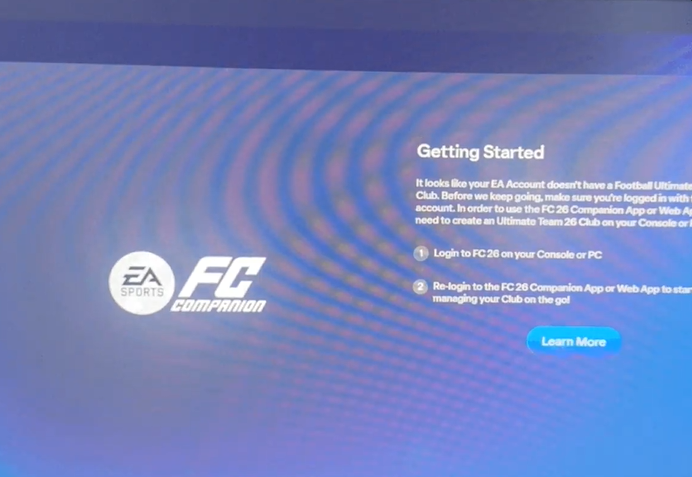
A common issue that some players have reported is a bug during the initial sign up or login process. This can manifest in several ways, such as being unable to connect to EA servers, an offline error message, or a login credentials expired notice. Here are the most effective solutions to these sign up issues.
Remember to login you must have played FC 25, if you have not you cannot access the game until tomorrow. Many users faced an issue because they did not log in with the same account from which they had accessed FC 25. Even without that some people still faced login issues, you can try by logging in using a different device for example it worked for some on their mobile but not their laptop.
If none of these solutions work, your best course of action is to visit the official EA Help website or the EA Forums. However the game has just come out and often there are bugs that should get resolved quite easily. EA made some quick changes such as altering the scheduled release date and making the game accessible for everyone from Day one using EA play which could have caused these issues.
EA Play issues
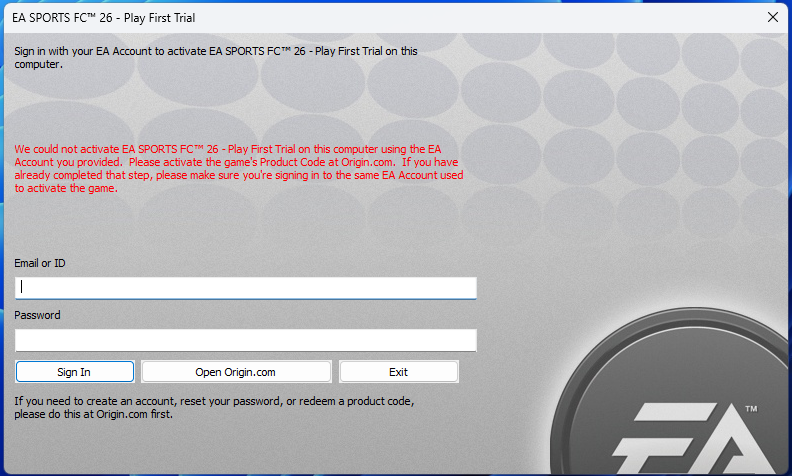
Loads of people then faced issues despite paying £6 for EA play to access the game. Many PC players trying to access the game through EA Play Pro have received an error message stating, “We could not activate EA SPORTS FC 26 Play First Trial on this computer using the EA Account you provided. Please activate the game’s Product Code at Origin.com.” This is particularly frustrating because the Origin launcher has been discontinued by EA.
Some users have reported issues with the 10 hour EA Play trial not working. This can be caused by various factors, including incorrect time zones or a bug with the trial itself. Players have found a workaround on Xbox, try launching the game from the Xbox store page by selecting Play trial with EA Play. For PC players try changing your device’s time zone to New Zealand.
A very frequent issue, especially for PC players, is that the game fails to start or gets stuck on a loading screen. This can be tied to several factors, including problems with the EA App and the Anti Cheat software. These are some workarounds players have found, try to repair the game in the EA App, restart your PC, run the game as an administrator and reinstall the EA Anti Cheat software.
EA has addressed the issues, with a fix communicated through their official Twitter/X account.
The issue with launching the FC 26 EA Play and EA Play Pro trials on PC has been addressed.
— EA SPORTS FC Direct Communication (@EASFCDirect) September 18, 2025
Change Your Club Name
After solving that issue one of the first things you’ll do in Ultimate Team is name your club, to do that you will have to follow these steps:
This is how to change your club name and abbreviation:
- Launch FC 26 and navigate to the Ultimate Team main menu.
- From the home screen, go to the Settings menu. This is usually found by pressing a specific button on PlayStation (R1), on Xbox (RB) on PC (C).
- In the Settings menu, you will find an option called “Rename Club.” Select it.
- You will be prompted to enter a new name for your club and a new 3 letter abbreviation.
- After entering your desired name and abbreviation, select “Confirm.” The game will check for profanity and, if the name is appropriate, it will be updated instantly across all Ultimate Team modes.
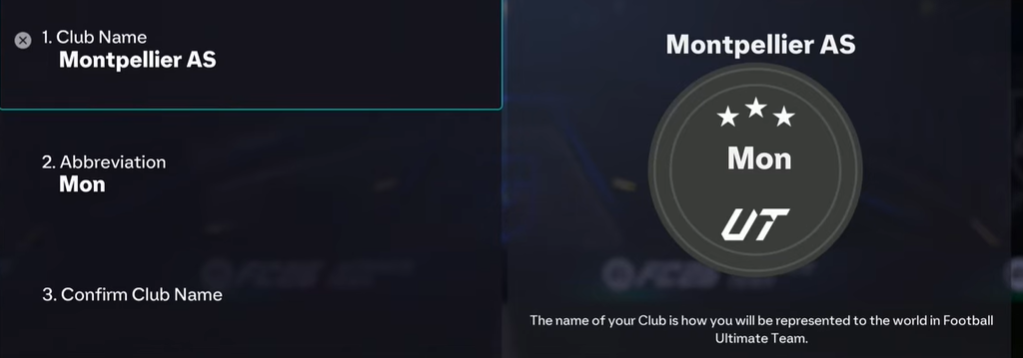
Please note that you cannot change the club name and abbreviation using the Web App and this must be done on Console or PC.
Changing your club name in FC 26 is a simple but permanent decision in most game modes. Whether you’re rebranding your Ultimate Team or setting up a new Pro Clubs identity, following these steps will help you successfully update your club name. Remember to choose wisely since you typically only get one opportunity to make this change.