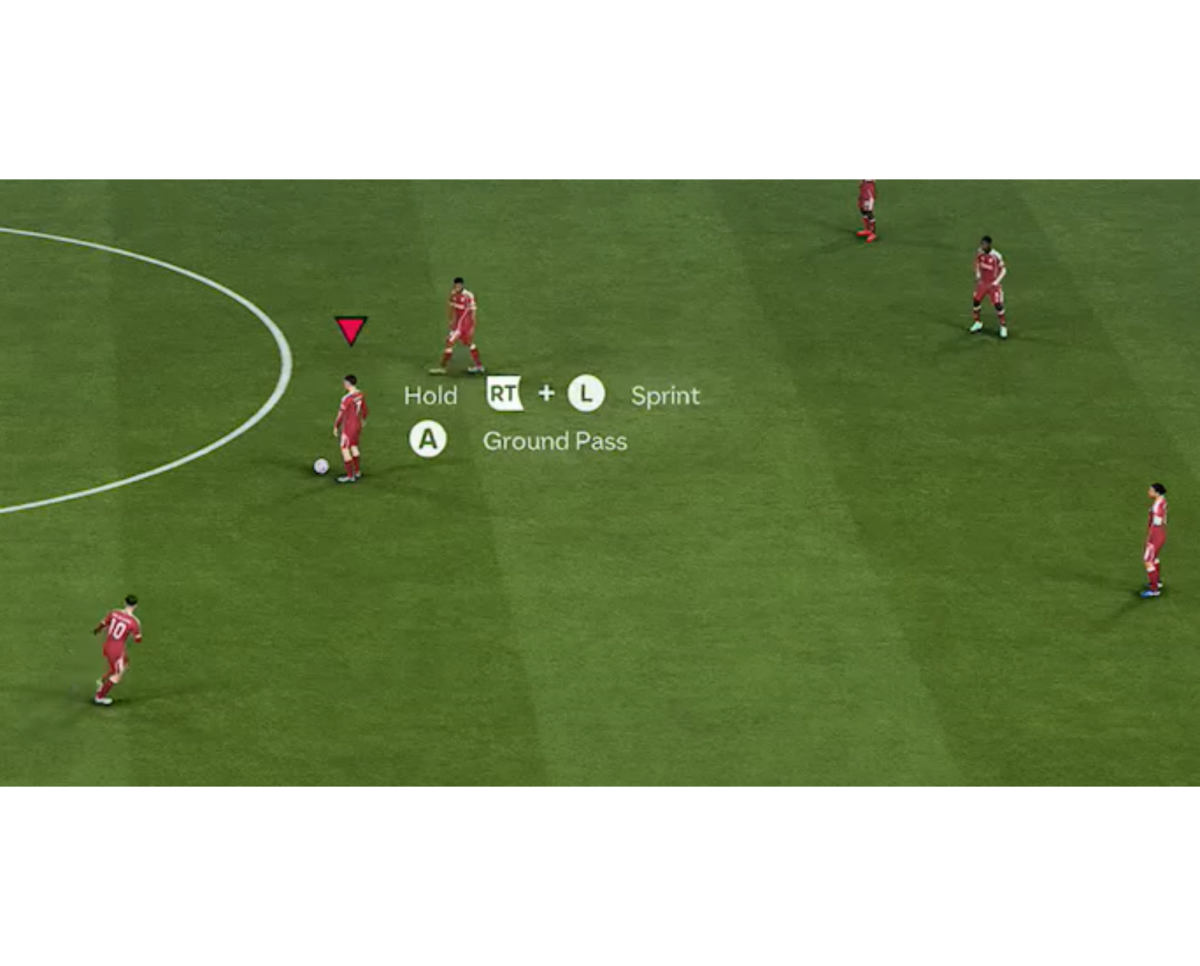
The in game Trainer in EA Sports FC 26 is a feature designed to help players learn game controls and mechanics by displaying on screen prompts, movement indicators, and suggested actions. While useful for newcomers, experienced and even newer players often find it distracting. Fortunately, turning off the Trainer is a simple process that can be done directly from the pause menu during any match.
Follow these steps to disable the feature:
Start a Match: Begin any match in any playable mode (Kick-off, Career Mode, Ultimate Team, etc.).
Pause the Game: Once the match has started, pause the game to open the Pause Menu.
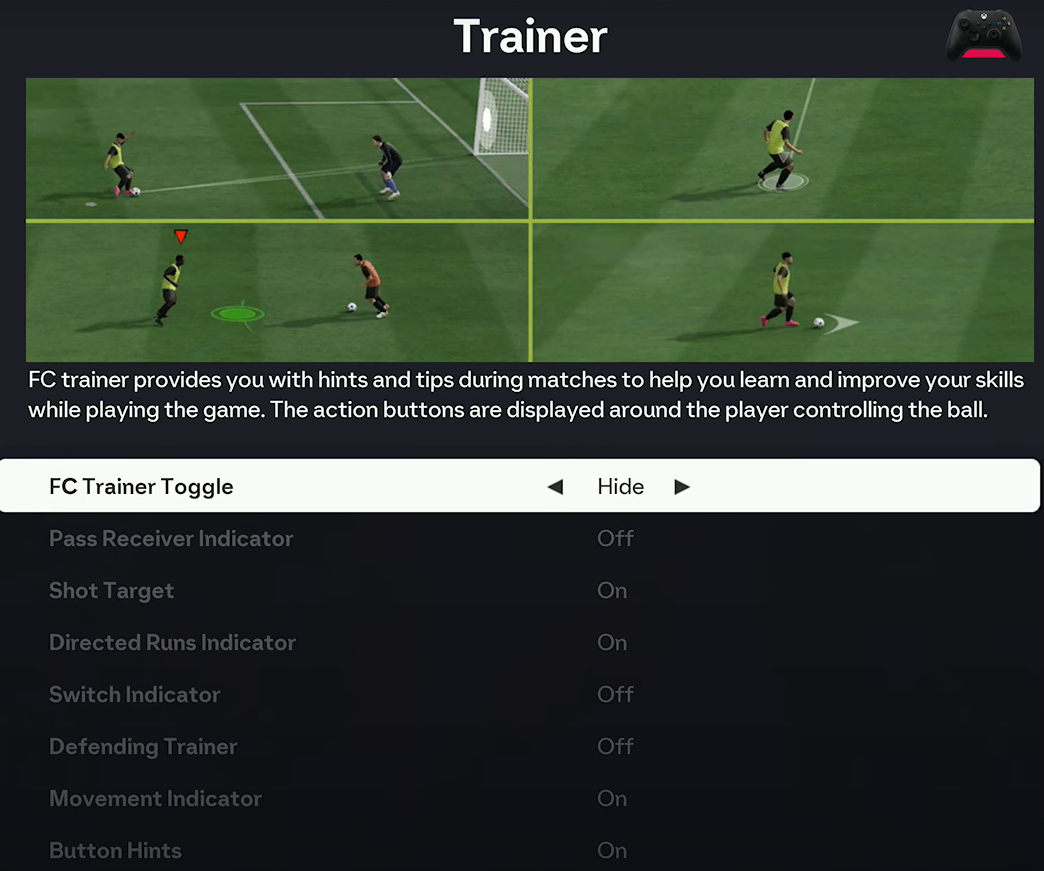
Navigate to Trainer: In the Pause Menu, scroll down and select the Trainer option.
Hide the Trainer: At the top of the Trainer settings screen, find the FC Trainer Toggle option. Change this setting from “Show” to “Hide”.
Resume Play: Exit the menu and resume the match. The on screen Trainer indicators and prompts should now be gone.
For some players, the Trainer may occasionally reappear when switching game modes or starting a new session, a known inconsistency in how the settings are saved. If the issue persists, follow these steps for a more comprehensive disable:
Instead of just toggling the main setting, you can ensure all sub features are also disabled. Follow Steps 1-3 above to get to the Trainer menu then Scroll down the list of individual Trainer features (e.g., Pass Receiver Indicator, Shot Target, Defending Trainer. Change each individual feature from On to Off, finally change the main FC Trainer Toggle at the top to Hide. By manually turning off all individual components, you prevent them from showing up even if the main toggle glitches back to ‘Show’.
If you find some elements of the Trainer helpful, you can choose to keep them active while disabling others. In the Trainer menu, keep the FC Trainer Toggle”on Show. Scroll through the list and toggle individual features On or Off based on your preference. For example, some players find the Pass Receiver Indicator useful for identifying the target player, while turning off the Button Hints to reduce clutter.
Disabling the Trainer is a matter of personal preference, often leading to a cleaner screen and a more immersive experience for those familiar with the game’s controls.