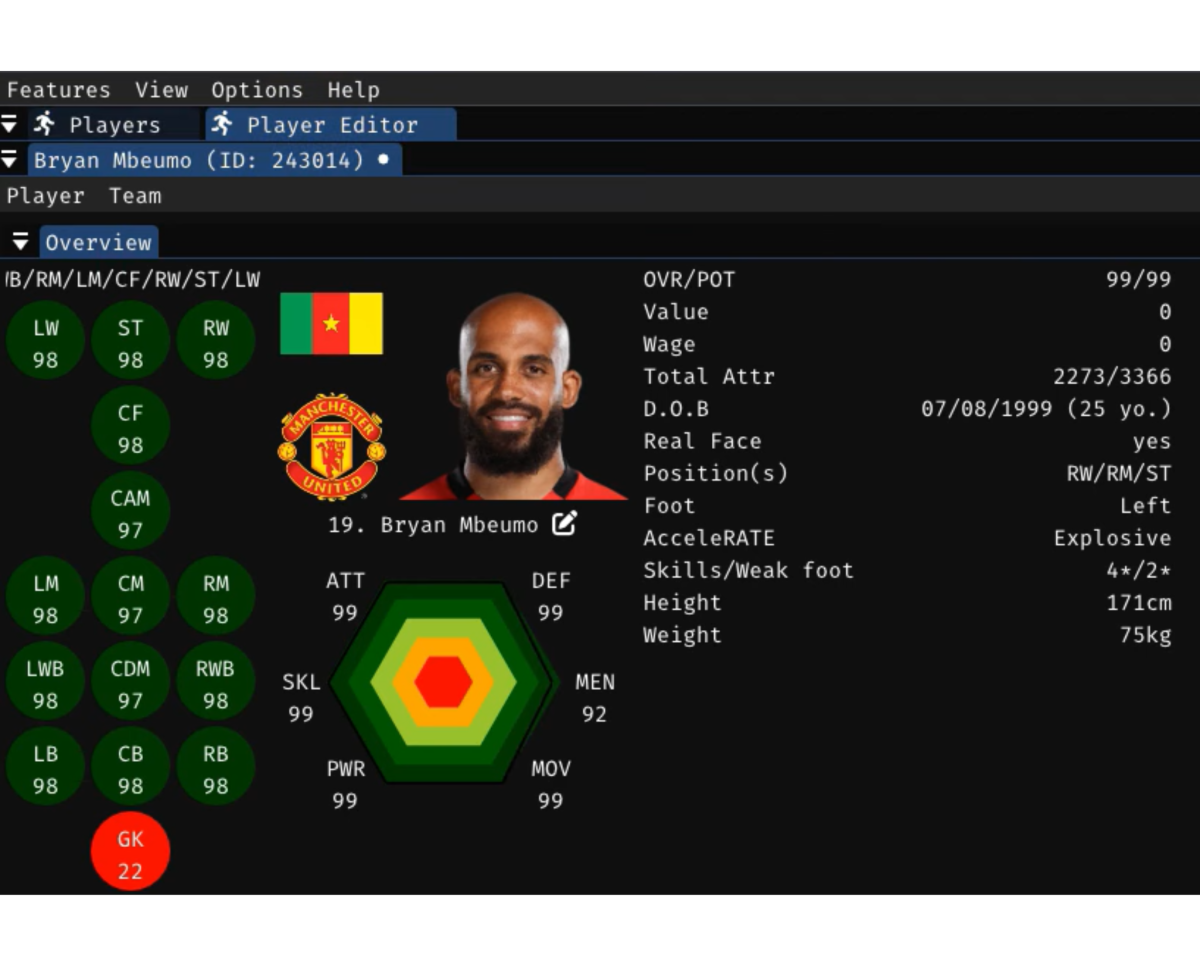
The FC 26 Live Editor is a powerful, fan developed third party tool designed to significantly enhance the offline, single player experience primarily in Career Mode of the FC 26 video game. It’s essentially a debugging and modification utility that allows users to make in depth, real time changes to the game’s data and elements that are otherwise inaccessible within the standard game menus such as transferring players manually from other clubs in career mode.
The Live Editor, often credited to a developer known as Aranaktu and continually updated, acts as a trainer or cheat tool for the offline aspects of FC 26 not for use in online modes like Ultimate Team or Clubs, as this would violate terms of service and risk bans. The tool’s main appeal lies for Career mode players. Users can edit virtually every aspect of a Career Mode save such as, adjusting player attributes, potential, age, contracts, positions, and even appearance/body types in real time.
This allows for creating custom superstars or realistic youth prospects. Taking control of club budgets, forcing transfers to happen instantly, and manipulating transfer market values. Changing a generic manager’s face to a real life manager’s model or editing various manager details. The editor can be used to create fantasy teams for offline Kick Off mode by editing kits, badges, and team names Advanced users can modify gameplay related database files to adjust core mechanics, such as balancing player speed, shooting, or physicality. It often works in tandem with the Mod Manager to implement complex mods that add new leagues, graphics, or other creative content not natively supported by the game. The editor is a utility for those who love to customize, create, and control their offline game world beyond the limitations set by the official game menus.

The Live Editor is a community tool and is not officially supported by EA Sports. Installation generally involves a few key steps. You will need to find the latest version of the Live Editor. This is typically hosted on a developer’s fan page or a dedicated modding community website. Here is the link for Arnataku’s editor https://www.patreon.com/posts/fc-26-live-v26-1-139708444.
Once downloaded, extract the Live Editor files usually a single executable file and supporting data to a memorable location on your computer. It’s often recommended to place the files within the FC 26 installation directory for simplicity, but it may function elsewhere. The Live Editor usually requires the game to be launched in a specific way to hook into the game process. This often involves adding a launch argument to the game’s properties in the EA app or Steam/Epic Games Launcher. A common argument is -dataPath FIFAModData or similar, which tells the game to load user made mods. Run the Editor: Ensure the EA Sports FC 26 game is running first, usually in offline mode to prevent issues. Run the Live Editor executable file. It should detect the running game process. Once in the game, a pre-defined hotkey commonly F9 is pressed to bring up the Live Editor’s graphical user interface overlay.
Using the Live Editor involves navigating its interface and applying changes to your running game session or saved files. Follow the installation steps to get both the game and the Live Editor running. Press the designated hotkey to open the editor overlay. The Live Editor interface is typically structured to allow you to browse different parts of the game database: Look up specific players by name or ID. View and edit team settings, budgets, and rosters. Transfers: Force transfers and alter negotiations.

To make a youth player a superstar, navigate to the Players section, find the player, and use the editor’s tools to increase their Potential and Attributes such as increasing their Acceleration, Finishing, or Passing stats. To give your club a massive transfer budget boost, navigate to the Clubs section, find your club, and edit the Financial values directly. Apply and Save Changes, most changes made in the Live Editor are in real time, meaning they are reflected instantly in the game. To make these changes permanent for your Career Mode save, you must ensure you save your career game after applying the edits within the Live Editor.

The editor is a comprehensive tool that requires user discretion and care. It is a vital tool for the modding community, completely transforming the offline experience of FC 26 that gives players much more control, flexibility and adds realism while playing career mode.